Think back to the first time you imagined your own online store.
Maybe it was late at night. Maybe you were scrolling through a fashion shop and thought, "I could do this. I have the taste, the products, the passion." Then reality hit: hiring a developer costs a fortune, templates feel generic, and learning to code from scratch can take months.
I've seen so many creative people stop right there, and I don't want that to be you.
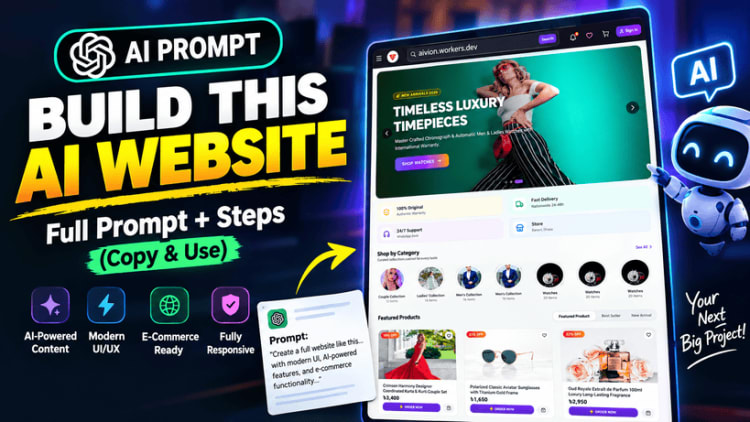
That's why I'm sharing this free master prompt. It's a carefully structured instruction set you can give to an AI coding assistant to start building a complete, professional e-commerce website called Nexora, and it costs you nothing.
What Is This Prompt, Exactly?
It isn't a quick "make me a website" request. It's a detailed blueprint, the kind of brief a good developer would want before starting a serious project.
Instead of leaving the AI to guess, the prompt spells out:
What to build: a full online store for fashion and physical products
Which technology to use: React, TypeScript, Vite, Tailwind CSS, Firebase, and Cloudinary
How it should look: clean, premium, mobile-first, and built to convert visitors into buyers
How to build it: step by step, in 14 clear phases, from setup to final checks
The clearer your instructions, the better the result. That's the idea behind this prompt.
What Can You Build With It?
You're aiming for a real store, not a pretty mockup.
For your customers
A smooth shopping experience on mobile, tablet, and desktop
Sign up, sign in, and personal account pages
Product browsing with search, filters, and sorting
A cart, a wishlist, and a simple checkout
Order history and visual order tracking, from Pending to Delivered
For you, the store owner
A protected admin dashboard showing products, orders, users, and revenue at a glance
Full control over products, categories, and stock
A homepage banner slider you manage yourself, with no code edits
An editor for your Privacy Policy, Terms, and Refund Policy
Order management with status updates
Imagine running a sale and changing your homepage banner in two minutes, from your phone, without calling anyone for help.
Why This Tech Stack?
The prompt uses tools that are widely used, well documented, and friendly to growing businesses:
React + TypeScript + Vite for a fast, modern, reliable front end
Tailwind CSS for a clean design that looks great on every screen
Firebase Authentication & Firestore for secure logins and a flexible database
Cloudinary for storing and optimizing all your images
React Router & React Helmet Async for smooth navigation and proper SEO
Zustand for a cart that remembers what your customers picked
Built With SEO and Mobile Shoppers in Mind
Most online shoppers browse on their phones, so your site should be ready for them.
The prompt asks for a fixed mobile bottom navigation bar, safe-area handling for modern phones, touch-friendly buttons, and no sideways scrolling. It also asks for dynamic page titles, meta descriptions, canonical URLs, and Open Graph tags on every important page, which helps search engines understand your products and makes your links look good when shared.
The Hero Slider: The Heart of the Homepage
First impressions happen in about three seconds, so the prompt focuses on the homepage hero slider.
It's a large, automatic, 16:9 Full HD banner area with smooth transitions, call-to-action buttons, and full responsiveness. You control it from the admin panel. Upload an image, write a title, add a button link, set the order, and publish. Your homepage always looks fresh, and you never touch the code.
How to Use This Free Prompt
Copy the prompt from the box on this page.
Open a new chat with your preferred AI coding assistant, such as Claude, ChatGPT or Gemini, or an app builder like Replit.
Paste it in and let the build begin.
Work phase by phase. Big projects go better in steps, so check each of the 14 phases before moving on.
Add your own touch, such as your logo, colors, and products.
A quick, honest tip: this is a large project. AI tools are powerful, but they're not magic. You may need to ask follow-up questions, fix small errors, and check your work as you go. Even professional developers work that way, and each fix teaches you something. For a faster route from prompt to working app, see our AI coding workflow with Lovable, Cursor and Claude.
Setup Guide: Connect Firebase, Cloudinary, and Go Live
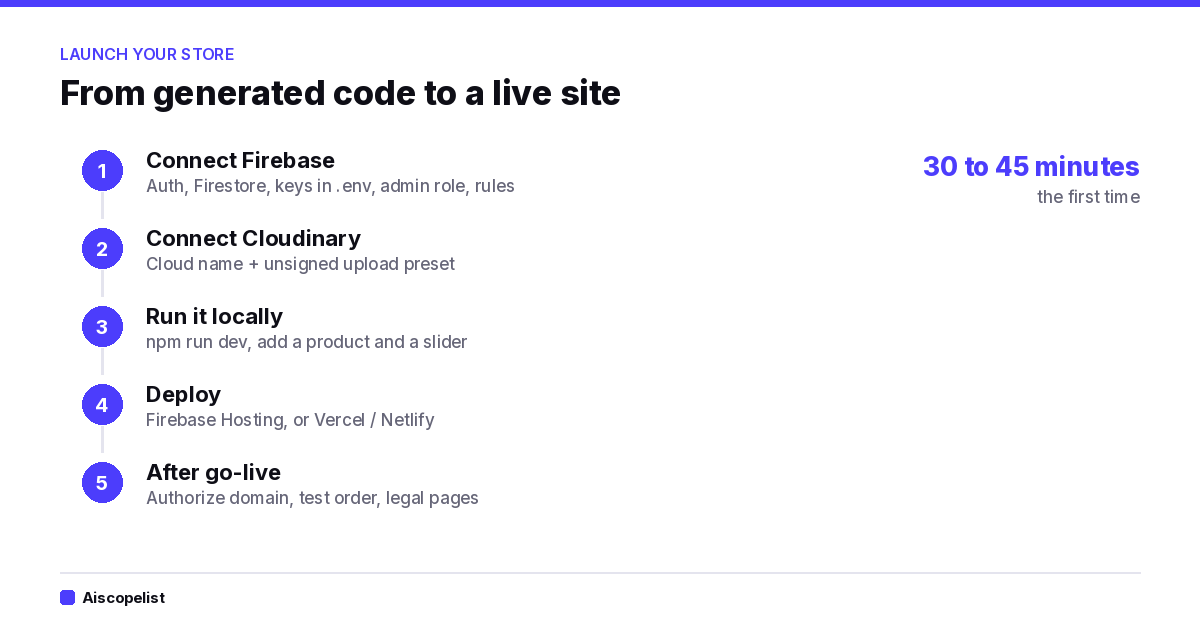
Once your AI has generated the code, three things turn it into a live store. Expect 30 to 45 minutes the first time.
The five setup steps, 30 to 45 minutes the first time
Before you start: install Node.js (LTS), a code editor like VS Code, and create a free Firebase (Google) account and a free Cloudinary account. Then run npm install in your project folder.
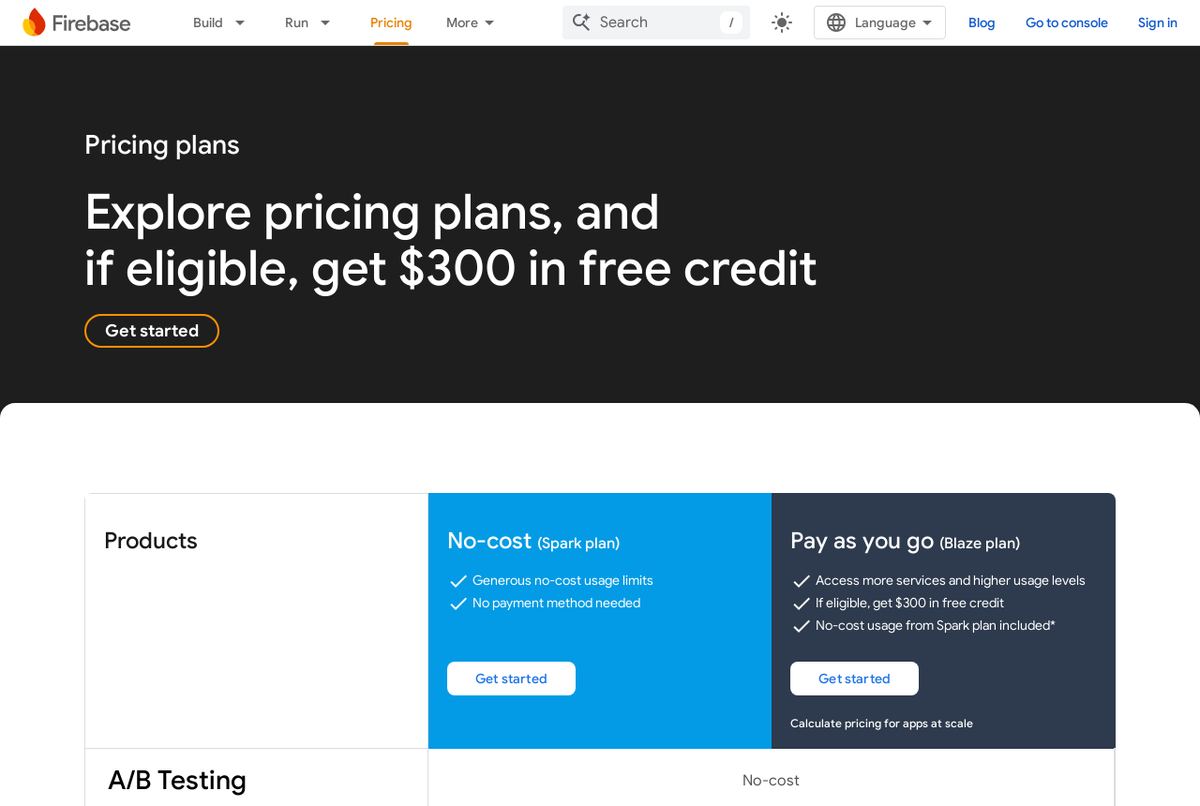
Screenshot: Firebase pricing page
1. Connect Firebase
Create a project at console.firebase.google.com, then register a web app (the </> icon). Keep the firebaseConfig values handy.
Enable Authentication: go to Build → Authentication → Sign-in method, and turn on Email/Password.
Create Firestore: go to Build → Firestore Database → Create database. Choose the location closest to your customers (it can't be changed later) and start in production mode.
Add your keys: copy .env.example to .env and fill in your Firebase values:
Make yourself admin: sign up on your site, open the users collection in the Firebase console, and set your role to admin. (Check your project's README, since the method depends on how your AI built the role system.)
Important: never put your Cloudinary API Secret in the frontend or .env. Anything starting with VITE_ is visible to everyone who visits your site.
3. Run It Locally
Run npm run dev, open http://localhost:5173, and check that you can sign up, open /admin, add a category, add a product with images, and add a homepage slider. If the uploads work, everything is connected.
4. Deploy
Option A: Firebase Hosting (recommended). Make sure firebase.json points to dist and includes this rewrite so page refreshes don't show a 404:
Option B: Vercel or Netlify. Push your project to GitHub (keep .env out of it), import the repo, set the build command to npm run build and the output folder to dist, add all your VITE_ variables in the platform settings, and add a rewrite rule so every route points to index.html.
5. After You Go Live
Add your live domain in Firebase: Authentication → Settings → Authorized domains
Place a test order and check it in the admin panel
Check the site on a real phone
Write your Privacy Policy, Terms, and Refund Policy in the admin editor
Set a budget alert in Google Cloud
Quick Fixes
Problem
Likely cause
"Missing or insufficient permissions"
Rules not deployed, or your account isn't set as admin
Image upload fails
Preset isn't Unsigned, or the cloud name is wrong
Blank page after deploying
Missing environment variables or wrong output folder
Refresh shows a 404
The rewrite rule is missing
Login fails on the live site
Domain not added to Authorized domains
If something breaks, copy the exact error message and paste it back to your AI assistant along with the file it came from. Nearly every setup problem is a missing key or a missing setting.
Printable Launch Checklist
Copy this list and tick things off as you go.
Setup
[ ] Node.js and VS Code installed
[ ] Firebase and Cloudinary accounts created
[ ] npm install completed
Firebase
[ ] Project and web app created
[ ] Email/Password sign-in enabled
[ ] Firestore created in production mode
[ ] Keys added to .env
[ ] Admin role assigned to your account
[ ] Security rules and indexes deployed
Cloudinary
[ ] Cloud name copied
[ ] Unsigned upload preset created
[ ] Values added to .env (no API secret!)
Checks
[ ] Sign up and login work
[ ] Admin panel opens
[ ] Category, product, and slider uploads work
[ ] Cart, checkout, and order status work
Launch
[ ] Built with npm run build and deployed
[ ] Live domain authorized in Firebase
[ ] Checked on a real phone
[ ] Legal pages written
[ ] Budget alert set
Who Is This Prompt For?
Aspiring store owners who want a custom website without a big budget
Freelancers and students looking for a real-world portfolio project
Small fashion brands ready to move beyond social media selling
Developers who want a solid starting structure and a time-saver
A Small Note From My Heart
I believe good tools should be shared. Plenty of people have talent and ambition but lack the resources to hire a team, and I never want that to be the thing that stops a good idea.
So this prompt is free. Use it, change it, and make it yours. You will find more free prompts in our prompt library, and the AI coding category lists the assistants that can build it. If it helps you launch your first product, your first sale, or just your first working page, then it's done its job.
Ready to Start?
Your store won't build itself, but you no longer have to start from a blank page. Copy the free prompt below, paste it into your AI assistant, and take the first step today.
Your customers are waiting. Go build something you're proud of.
# MASTER PROMPT: NEXORA E-COMMERCE WEBSITE
Copy everything below and paste it into a **new chat** to start the development phase.
---
## Project Overview
Build a **fully functional, production-ready e-commerce website** named **Nexora**.
The website is designed for selling fashion and other physical products online. The UI/UX should be modern, clean, premium, mobile-first, and highly optimized for e-commerce conversions.
### Reference Design
I have provided a **reference website screenshot** to you.
**Use the provided reference image as the primary UI/UX inspiration.** Follow its overall visual hierarchy, spacing, mobile layout, header style, product presentation, category sections, icon usage, rounded cards, navigation patterns, and clean e-commerce experience.
Do **not** blindly copy the branding, text, products, logo, or exact assets from the reference website. Create an original **Nexora** design inspired by the supplied reference.
### Important Homepage Requirement
The homepage must begin with a professional header/navigation area followed by a **large 16:9 hero image slider**.
The hero slider must:
* Use high-quality Full HD / 16:9 promotional images. * Automatically slide between banners. * Have smooth transitions. * Support multiple slides. * Include optional CTA buttons. * Be fully responsive. * Work correctly on mobile, tablet, and desktop. * Allow administrators to add, edit, delete, reorder, activate/deactivate, and replace slider banners from the Admin Panel. * Store uploaded banner images using **Cloudinary**. * Store Cloudinary URLs and banner metadata in **Firestore**. * Never hardcode homepage promotional banners into the frontend.
---
# 1. FIXED TECHNOLOGY STACK
Use **ONLY** the following technology stack.
### Frontend
* React * TypeScript * Vite
### Styling
* Tailwind CSS
### Backend / Database
* Firebase Authentication * Firestore Database
### Media Storage
* **Cloudinary ONLY**
Use Cloudinary for:
* Product images * Homepage slider images * Category images * User-uploaded media where applicable * Admin-uploaded images/files
**Do NOT use Firebase Storage.**
### Routing & SEO
* React Router DOM * React Helmet Async
### State Management
* Zustand for complex global states such as cart/wishlist * React Context for Theme/Language and appropriate application-wide contexts
### UI
* Lucide React for icons * React Hot Toast for notifications
### Admin Rich Text Editor
Use either:
* React Quill * OR Jodit
Use it for editable rich-text content such as legal pages and appropriate admin-managed content.
---
# 2. DESIGN & UI/UX REQUIREMENTS
Create a premium, modern e-commerce interface inspired by the supplied reference screenshot.
### Overall Style
* Clean white/light main background * Premium brown/dark accent color inspired by the reference * Modern typography * Rounded cards * Subtle shadows * Professional spacing * Smooth animations * High-quality product presentation * Clear CTA buttons * Excellent visual hierarchy * Touch-friendly mobile controls
The design must feel like a **real commercial e-commerce platform**, not a basic template.
### Responsive Design
Implement mobile-first responsive design for:
* Mobile * Tablet * Laptop * Desktop * Large desktop screens
No horizontal overflow.
All buttons, cards, forms, navigation elements, images, sliders, and product grids must adapt correctly to different screen sizes.
---
# 3. MOBILE-FIRST NAVIGATION
Create a mobile experience inspired by the reference website.
### Header
The header should support:
* Nexora branding/logo * Search * Language selector * Notifications where applicable * User account * Responsive navigation
The top header should remain fixed/sticky where appropriate.
### Bottom Navigation
Create a fixed mobile bottom navigation bar with appropriate safe-area handling.
Example navigation:
* Home * Categories * Cart * Orders/Products * Account
Use:
`safe-area-inset-bottom`
so the navigation does not interfere with devices having gesture/navigation areas.
Use Lucide icons.
The active navigation item must have a visually distinct state.
---
# 4. HOMEPAGE
Create a complete e-commerce homepage.
Recommended structure:
### Header
Nexora logo + navigation/search/account functionality.
### Hero Slider
A prominent **16:9 Full HD image slider** immediately below the header.
Create visually appealing service cards inspired by the reference design.
Examples:
* 100% Original * Fast Delivery * 24/7 Support * Secure Shopping
These should be configurable where practical.
### Promotional Banner
Allow promotional sections/banners to be managed through the Admin Panel.
### Shop by Category
Display category cards with:
* Category image * Category name * Product count where appropriate * Clickable navigation
### Featured Products
Display selected products managed by the admin.
### New Arrivals
Display recently added products.
### Best Sellers
Display products based on order/sales data where available.
### Promotional Sections
Support additional promotional content managed through the Admin Panel.
### Footer
Include:
* About Nexora * Contact information * Categories * Customer service * Privacy Policy * Terms & Conditions * Refund Policy * Social links * Copyright
Legal pages must be dynamically fetched from Firestore.
---
# 5. USER AUTHENTICATION
Implement complete authentication using Firebase Authentication.
Users must be able to:
* Sign Up * Sign In * Sign Out * Maintain a profile * Access their account * View their order history * Manage relevant account information
Implement proper:
* Loading states * Error handling * Form validation * Authentication state persistence * Success/error Toast notifications
Protect pages that require authentication.
---
# 6. PRODUCT SYSTEM
Create a complete product architecture.
Each product should support appropriate fields such as:
* Product ID * Product name * Slug * Description * Rich description * Category * Subcategory where applicable * Price * Sale price * Discount * Product images * Available sizes * Available colors * Stock quantity * SKU * Brand * Featured status * New-arrival status * Best-seller status * Active/inactive status * Created date * Updated date
### Product Images
Product images must:
1. Be uploaded to Cloudinary. 2. Receive a Cloudinary URL. 3. Store the URL in Firestore. 4. Be displayed through the Cloudinary URL.
Never use Firebase Storage.
---
# 7. PRODUCT BROWSING & FILTERING
Users must be able to browse products by:
* Category * Subcategory * Price * Size * Color * Availability * Featured products * New arrivals * Other relevant attributes
Implement:
* Search * Sorting * Filtering * Pagination or efficient loading * Empty states * Loading states
Search should provide a smooth and responsive user experience.
---
# 8. PRODUCT DETAILS PAGE
Create a professional product details page containing:
* Large product image gallery * Thumbnail images * Product name * Price * Discount/sale price * Available sizes * Available colors * Stock availability * Quantity selector * Add to Cart * Wishlist * Product description * Product specifications * Related products * Similar products
Prevent users from adding unavailable/out-of-stock variants to the cart.
---
# 9. SHOPPING CART
Implement a complete shopping cart using **Zustand**.
Cart state should persist appropriately between sessions.
Validate product availability before checkout.
---
# 10. WISHLIST
Implement a wishlist/favorites system.
Users should be able to:
* Add products to wishlist * Remove products * View wishlist * Move products to cart
Display appropriate authentication requirements when necessary.
---
# 11. CHECKOUT
Create a complete checkout flow.
Include:
* Customer information * Shipping address * Phone number * Order summary * Products * Quantities * Discounts * Delivery charges * Final total * Order confirmation
Validate all checkout fields.
Prevent checkout when products are unavailable.
Create the order record in Firestore only after successful validation.
---
# 12. ORDER MANAGEMENT
Users must have an order history page.
Display:
* Order ID * Order date * Products * Quantities * Total * Shipping information * Payment information where applicable * Order status
Create a dedicated admin section for homepage banners/sliders.
Admins must be able to:
* Add slider * Edit slider * Delete slider * Upload slider image * Replace slider image * Change title * Change subtitle * Change CTA text * Change CTA URL * Set display order * Enable/disable slider * Set optional start/end dates where appropriate
### Image Requirement
The homepage slider should primarily use:
**16:9 Full HD images**
Recommended target:
**1920 × 1080**
Images must be uploaded to Cloudinary.
Firestore should store:
* Image URL * Title * Subtitle * CTA text * CTA destination * Display order * Active status * Created timestamp * Updated timestamp
The frontend must dynamically retrieve active sliders from Firestore.
---
# 18. ADMIN ORDER MANAGEMENT
Admins must be able to:
* View all orders * Search orders * Filter orders * Open order details * Update order status * View customer information * View purchased products * View order totals * Manage cancellation/status information
Use secure Firestore access rules.
---
# 19. ADMIN USER MANAGEMENT
Provide an appropriate admin interface for managing users.
Display relevant non-sensitive account information such as:
* User name * Email * Registration date * Order count * Account status where supported
Do not expose passwords or sensitive authentication credentials.
Every important page must have dynamically managed:
* Meta title * Meta description * Meta keywords where appropriate * Canonical URL * Open Graph title * Open Graph description * Open Graph image * Relevant social metadata
SEO metadata should change based on the current page/product/category.
Product pages should generate product-specific metadata.
Category pages should generate category-specific metadata.
---
# 22. APP-STORE / MOBILE WEB COMPLIANCE
Include:
* Responsive viewport configuration * `viewport-fit=cover` * Safe-area support * Mobile-friendly controls * Fixed mobile navigation * Proper touch targets * No horizontal scrolling * PWA-friendly architecture where appropriate without introducing technologies outside the required stack
---
# 23. FIRESTORE DATABASE ARCHITECTURE
Design a clean and scalable Firestore structure.
Create appropriate collections for concepts such as:
Claude is Anthropic's AI assistant for writing, research, data work and coding, with a context window of up to 1 million tokens. It suits professionals and developers, and it has a free plan with paid plans available.
Free plan·from $17No reviews yet
ChatGPTChatbotsFree plan·from $8
ChatGPT is OpenAI's AI assistant for writing, research, coding, data analysis and image generation. It suits students, professionals and teams, with a free plan and paid plans offering more models.
Free plan·from $8No reviews yet
GeminiChatbotsFree plan·from $4.99
Gemini is Google's AI assistant for writing, research, images and video. It suits students, professionals and Google users, with a free plan and Google AI plans that add storage and Gmail and Docs features.
Free plan·from $4.99No reviews yet
ReplitCodingFree plan·from $18
Replit is a browser-based platform where Replit Agent turns your ideas into working apps and websites, then hosts them. It has a free Starter plan, with Core and Pro paid plans available.

 aiscopelist