
 aiscopelist

TabProductivityFree plan
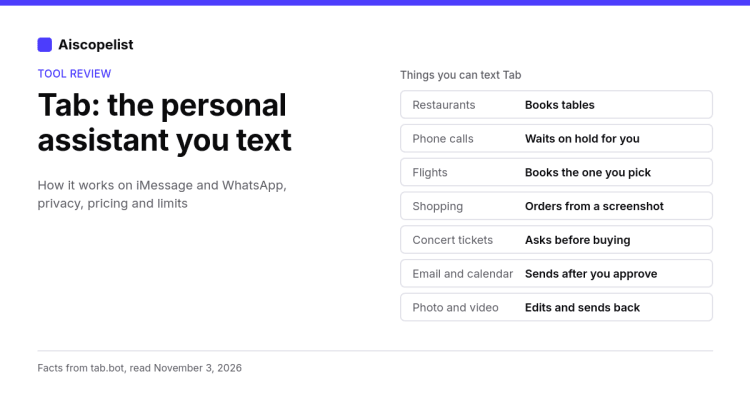
Tab is a personal assistant you text on iMessage or WhatsApp. It books restaurants and flights, calls businesses, shops from your screenshots and edits photos and video, and it asks before it buys.
Free planNo reviews yet

Md Eyasin Hasan
Aiscopelist Desk
Disclosure: I use Tab myself for work on this site.
Tab is a personal assistant that lives in your text messages. You don't open an app or a dashboard. You send it a text on iMessage or WhatsApp, say what you need in your own words, and it goes and does the job: books a table, calls a hotel, finds a flight or orders something from a screenshot. Its website describes it as "your personal assistant you text when you need something done."
This review covers what Tab does, how you get started, what the company says about privacy and pricing, and where it falls short. Every product fact here comes from tab.bot's own pages (home, security, privacy, terms and updates), read on November 3, 2026. For the short version, see our Tab tool page.
Tab is made by Terrasoft, Inc. You chat with it, but the goal is different from a chatbot like ChatGPT. A chatbot mostly gives you answers and drafts. Tab is built for errands. Its security page puts it plainly: "Tab can do more than answer a question. It can open websites, use connected accounts, call businesses, remember credentials, and prepare payments."
That puts it closer to the tools in our AI agents category, which take actions instead of only writing text. The difference is the front door: there is nothing new to install. If you can send a text, you can give it a job.
Tab works in two apps:
When you sign up you pick Messages or WhatsApp. The updates page says it is "the same me on both, with the same memory," and you can add the other app later in Settings. Tab replies wherever you last texted it.
To start, you enter your name and mobile number on the homepage, then "send one text to get started." The section is labeled "Private beta," so access is limited (more on that below).
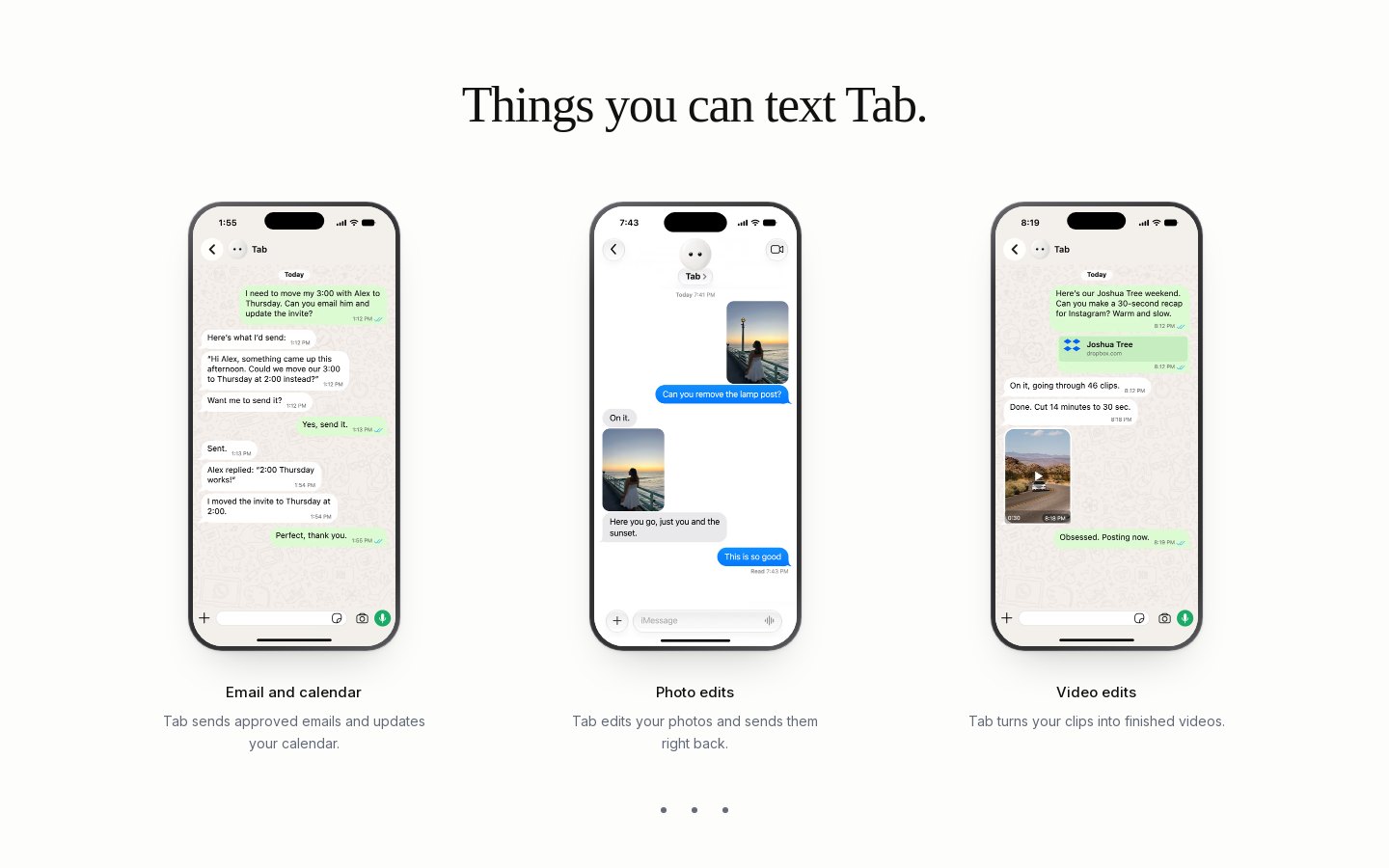
The homepage shows eight sample chats under "Things you can text Tab." These are the company's demo threads, not results I measured, but they show what Tab is meant for.
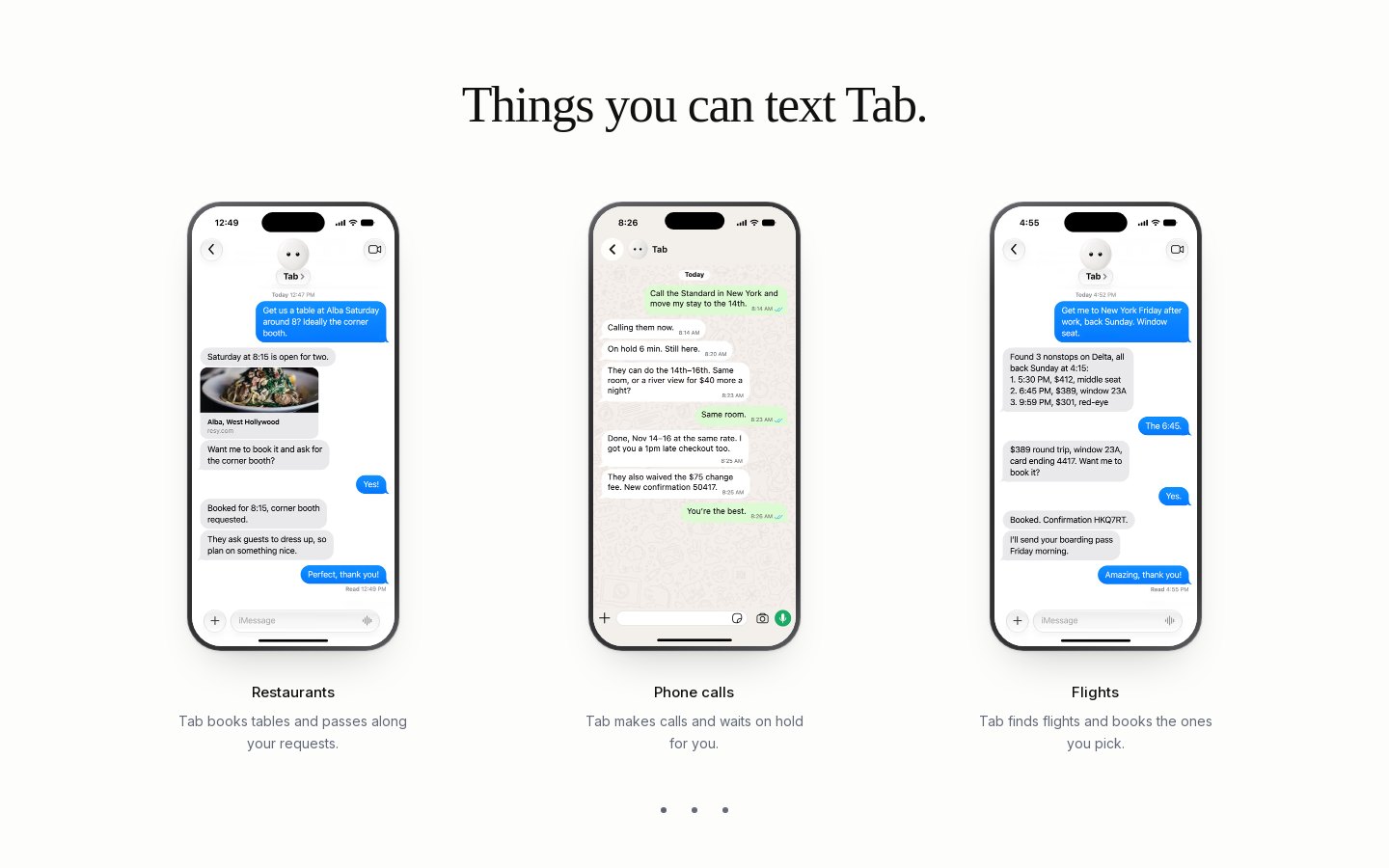
Notice the pattern. In every example that spends money, Tab asks first and buys after the person says yes. For phone calls, the updates page says that when the call ends Tab tells you "who answered, what they said, and what was agreed."
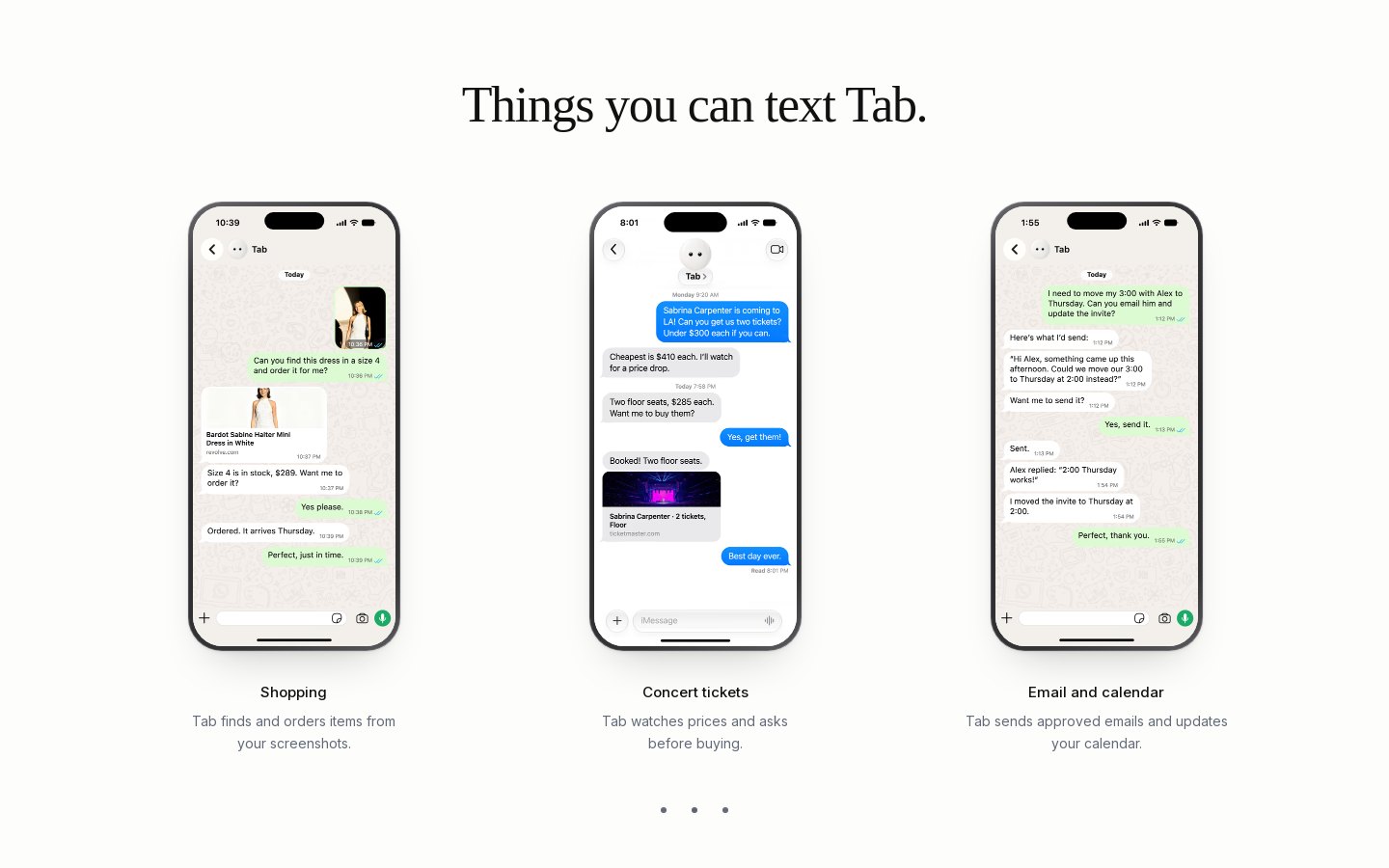
Small details matter on real errands. The updates page says Tab keeps bookings set to your time zone "so the date I pick is the day you meant."
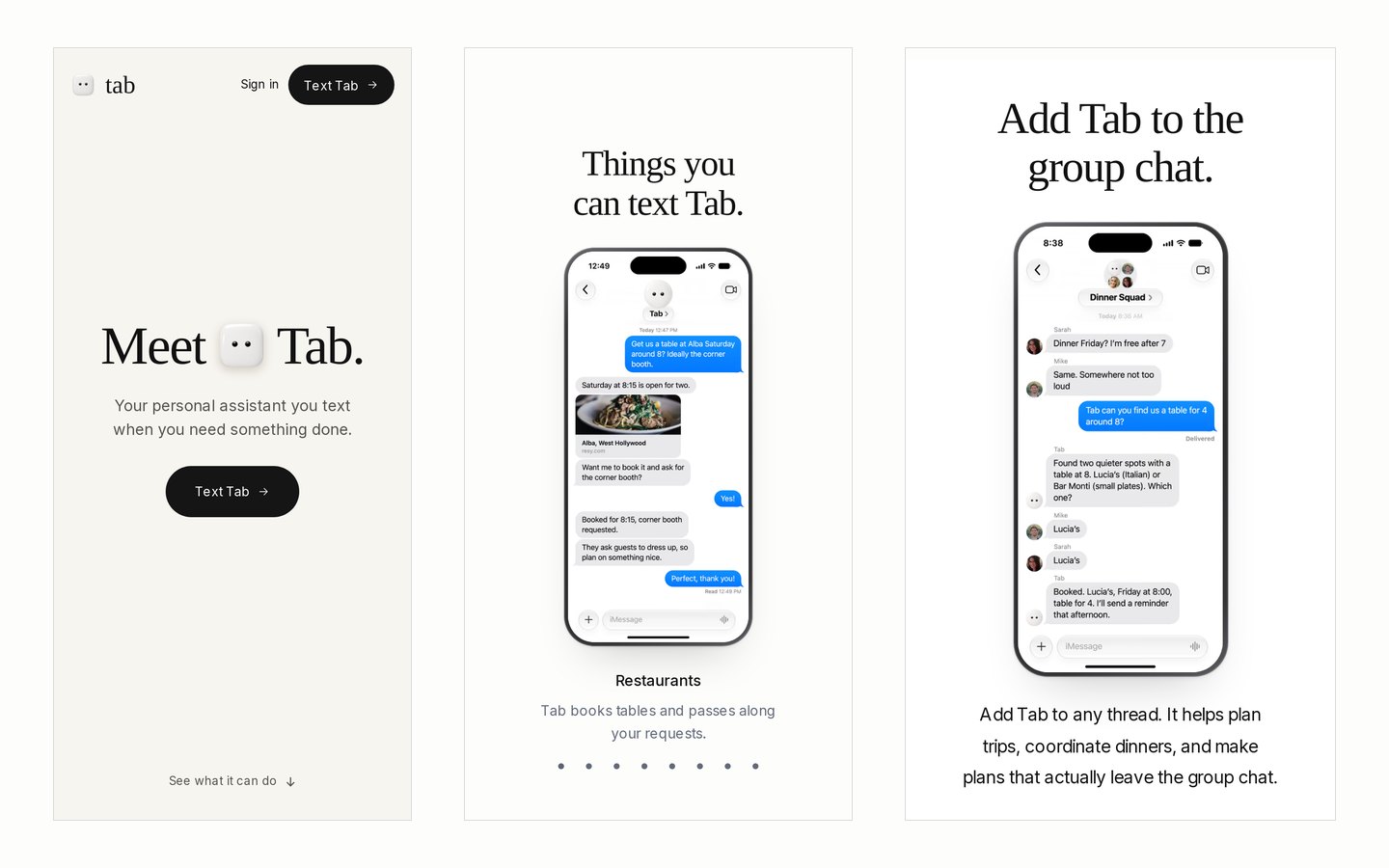
You can add Tab to a group thread. The homepage example is a group called "Dinner Squad": two friends want dinner on Friday, someone asks Tab for a table for four around 8, Tab offers two restaurants, the group picks one, and Tab books it. The site says it "helps plan trips, coordinate dinners, and make plans that actually leave the group chat."
There is a privacy rule for groups too. According to the updates page, if a group needs something from you, the group's Tab asks your own Tab, and "nothing private goes into a group unless you say so."
An assistant that can log in and pay for things needs clear rules. Tab's security page was last reviewed August 21, 2026. The main points:
The privacy policy adds a few more: "We do not sell your personal information," you can ask to access, correct or delete your information, and Tab is not meant for children under 13.
These are the company's own statements, not something we audited. Read the security and privacy pages before you connect an email account or add a card.
tab.bot does not publish a price list. There is no pricing page (tab.bot/pricing showed "not found" when I checked on November 3, 2026), and no plan prices appear on the homepage.
The terms say joining the waitlist "does not guarantee access, timing, pricing, or availability," and that the company may apply usage limits. They also make one cost point clear: anything Tab buys for you is your purchase. You pay the merchant's price, taxes and shipping, and Tab is not the seller. If price matters to you, ask Tab directly once you have access.
Tab is in private beta. You join from the homepage, and the terms say the company "may invite people in stages." There is also a referral program: if a friend joins through your invite, Tab may tell you it worked, and the privacy policy says neither person's phone number is shared with the other.
I run aiscopelist.com and a car channel called Savage Formula, and I use Tab for both, mostly over WhatsApp. For the channel, it edits my car videos and makes the thumbnails. For this site, it writes and fixes blog posts, set up three Telegram channels for my projects, and has been working on faster tutorial pages with sharper thumbnails. I still look over what it makes and ask for changes when something is off.
Tab makes sense if you:
Things to know before you sign up:
If you mainly want quick answers or writing help, ChatGPT is the simpler fit. For research with sources, look at Perplexity, and for automatic workflows between work apps, Zapier.
Tab skips the new app and works inside the texting apps you already use, with a focus on errands and your approval before any purchase. The open questions are access and price, since it is a private beta with no public price list. If you get in, give it one real errand you have been putting off and judge it on that.
You can visit tab.bot to join, read our Tab tool page for features and FAQs, or browse more tools in the AI productivity category. More guides are on the aiscopelist blog.
Key questions and answers regarding Tab AI Review: The Personal Assistant You Text.
Tab is a personal assistant you text on iMessage or WhatsApp. It books restaurants and flights, calls businesses, shops from your screenshots and edits photos and video, and it asks before it buys.

ChatGPT is OpenAI's AI assistant for writing, research, coding, data analysis and image generation. It suits students, professionals and teams, with a free plan and paid plans offering more models.

Perplexity is an AI answer engine that searches the web and replies with cited sources. Pro adds Pro Search, Deep Research, file uploads and image generation. A free plan is available, with Pro and Max plans offering additional features.

Meta AI is a free personal AI assistant from Meta that answers questions, researches topics, creates images from a chat and edits your photos. It works on the web at meta.ai and in its own mobile app.

Zapier is a no-code automation platform that connects your apps so tasks run on their own, with AI steps, agents, chatbots, Tables and Forms. It has a free plan with 100 tasks a month and paid plans available.
 Buying Guides
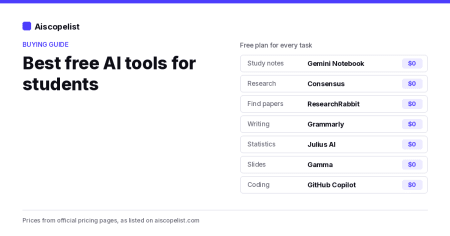
The best free AI tools for students, sorted by task: research, reading, writing, math, slides and coding. What each free plan includes and its real limits.
 Buying Guides
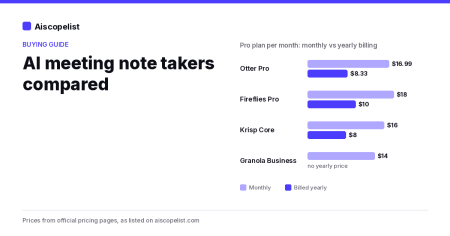
Otter, Fireflies, Granola and Krisp compared on free plans, prices, yearly savings and how they record. Find the right AI note taker for your meetings.
 Buying Guides
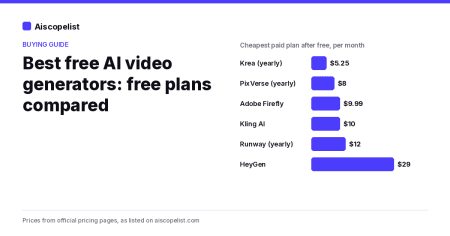
Which AI video generators are actually free? We compare the free plans of PixVerse, Kling, Runway, Firefly, HeyGen and more, with limits and upgrade prices.